
The blood pressure log you can fill in two seconds
Type a reading, or photograph the cuff display and confirm the digits. Trends, a doctor-ready PDF, and Apple Health — with no account and no pairing.
- No accounts
- No ads or trackers
- Data stays on your phone
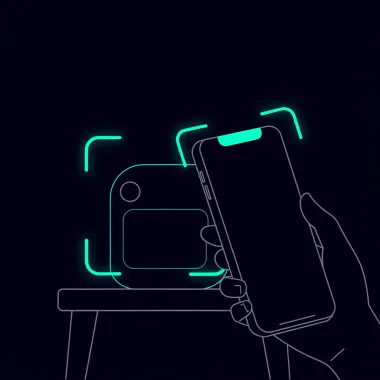
A log you will actually keep
Scan or type, see the trend, hand the PDF to your clinician.
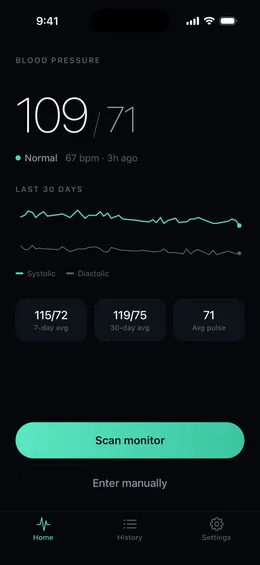
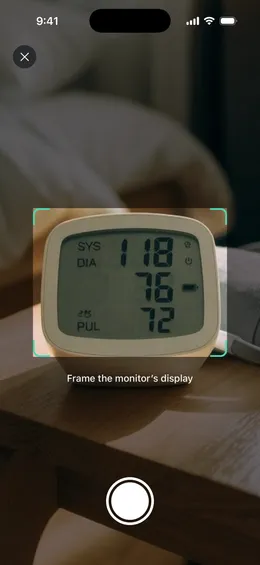
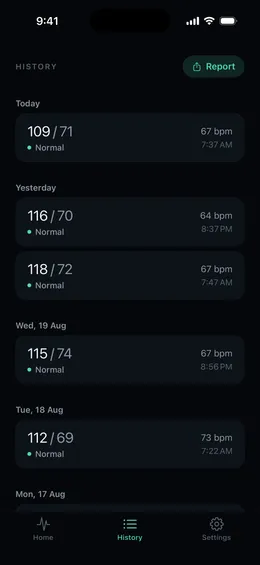

From the cuff to a log your doctor can use
- Measure with your own cuff — BP AI never inflates anything and never pairs with hardware.
- Save the numbers — type them, or photograph the display and confirm the digits.
- Bring the story — averages, morning vs evening, and a PDF you can share at the visit.
Everything a home log needs
Built for people managing hypertension, a new medication, or a clinician who asked for two weeks of readings.
Type it, or photograph it
Enter systolic, diastolic, and pulse by hand — or photograph the cuff display so the digits can be copied. Confirm before you save.
AHA categories, with sources
Each reading is labeled with American Heart Association adult categories, plus in-app citations and links to those sources.
30-day trends
A simple chart, 7- and 30-day averages, and morning vs evening breakdowns — so a single high reading is not the whole story.
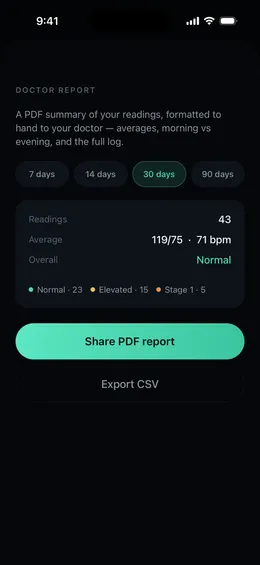
Doctor-ready PDF
Share a formatted report or a CSV in one tap. Built for the visit, not a spreadsheet you have to rebuild the night before.
Gentle reminders
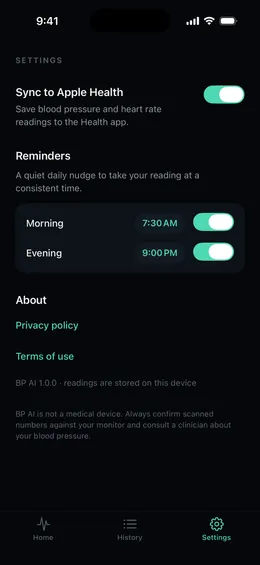
Optional daily nudges so the log stays consistent — the habit clinicians actually want to see.
No account. No ads.
Readings stay on your device. There is no login, no cloud dashboard, and no tracker watching the log.

Your readings stay on this phone.
No accounts. No sign-up. No ads. The log lives on your device —we never receive it, so we cannot see it, sell it, or share it.
- Manual entries never leave the device
- Scan photos are used only to copy digits, after you agree in the app
- Optional Apple Health write for blood pressure and heart rate
- Deleting the app deletes the log
Questions people ask first
Honest answers, including what the app does not do.
Does BP AI measure blood pressure?
No. The iPhone does not measure blood pressure. You measure with your own cuff (or skip that and type numbers you already have). BP AI is a personal log: it stores the numbers you confirm. It does not diagnose, treat, or replace a clinician.
Do I need a Bluetooth cuff?
No. There is no Bluetooth, External Accessory, or pairing. Any home monitor works because you type the numbers or photograph the display. The app never connects to hardware.
Where do my readings go?
They stay on your iPhone. There is no account and no cloud log we can see. If you choose Scan, the photo of the display is sent only to read the digits, after you agree in the app. Manual entry never leaves the device. Deleting the app deletes the data.
How much does it cost?
BP AI is free to download. Full access is an auto-renewing Apple subscription: weekly (3 days free, then $6.99/week) or yearly ($39.99, billed today). Cancel at least 24 hours before the trial or period ends in Settings → Apple ID → Subscriptions.
Can I take a report to my doctor?
Yes. The doctor report builds a PDF with averages, morning vs evening, category counts, and the full log — plus a CSV if you want a spreadsheet. Share it from the phone in one tap.
Where do the Normal / Elevated labels come from?
Adult category labels follow American Heart Association published cutoffs. The app cites Understanding Blood Pressure Readings and the 2025 AHA/ACC high blood pressure guideline, with tappable links on a Sources screen.

Start the log you will bring to the visit
Two seconds after the cuff beeps. A PDF when you need one. Nothing stored in our cloud.
Download on theApp Store